

Let me ask you something.
When you type your password into a website and hit Log In... what do you think happens to it?
Most people picture a database with their password sitting right next to their email address.
And that’s a completely understandable assumption!
But a well-designed login system should never store your password in a form it can read back.
A website that keeps a readable copy is one breach away from handing attackers the keys to every account where you reused that password.
So how do websites avoid that?
That’s what we’ll look at today!
Quick question before we start: did you already know that login systems are designed not to store your password, or did you assume they do? Let me know in the comments. I read every reply.
After reading this article, you will understand:
What a hash is, and why it can’t be reversed
What a salt is, and what it does (and doesn’t) protect against
Why slow hashing beats fast hashing
What CC, Security+ and CISSP candidates need to know for the exam
Warning: CC, Security+ and CISSP relevant topic.
The Problem in Detail
Imagine you run a website. Users register with an email address and a password.
Where do you put those passwords?
The worst option: store them exactly as typed. This is called plaintext, and it’s the one thing you must never do.
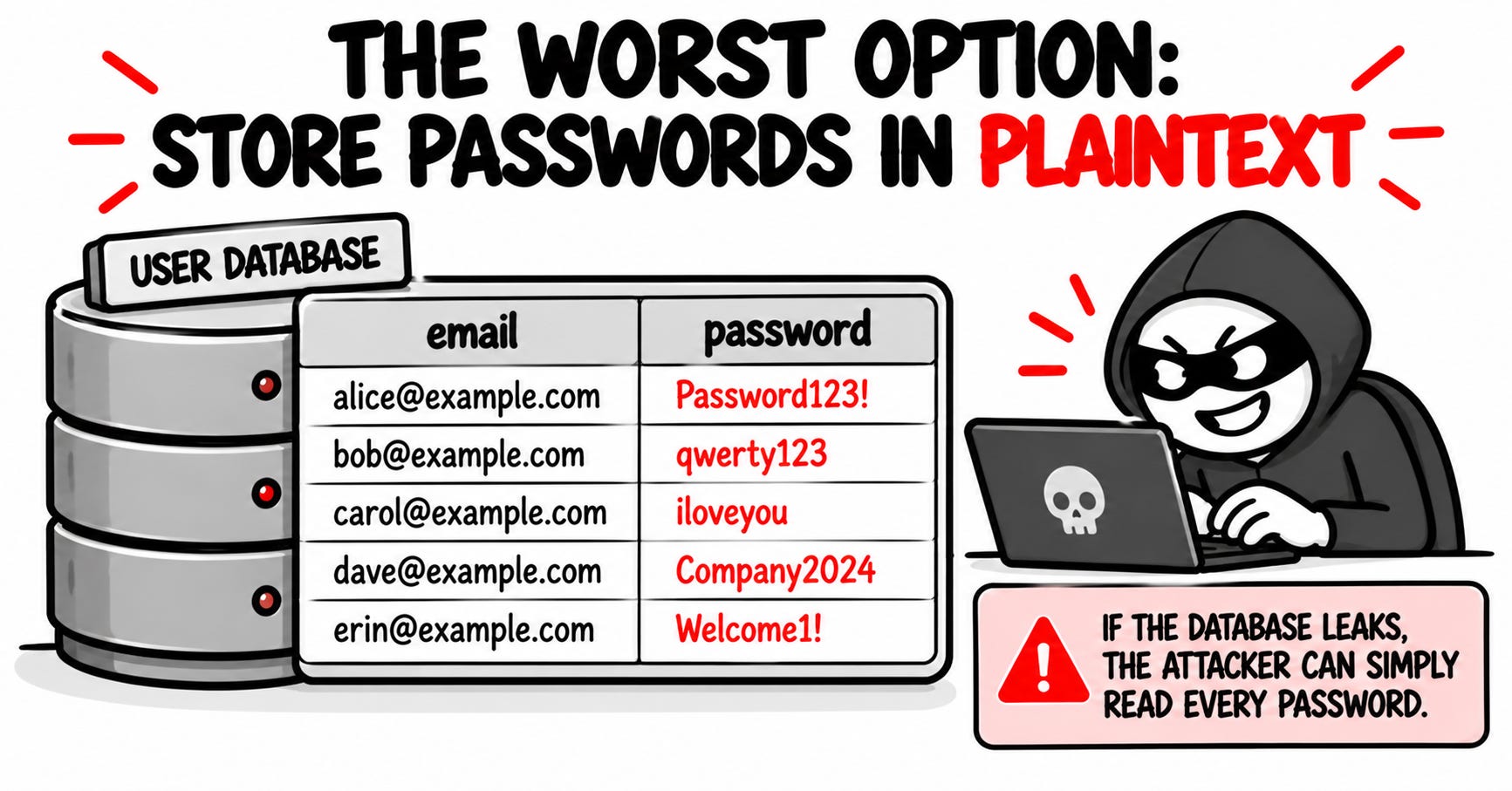
The moment your database leaks (and it will), the attacker simply reads every password. And because people reuse passwords, they don’t just get into your website. They try the same password on email, banking and social media.
So the goal is clear: the website should not store the password in a form it can read back.
Hashing: The One-Way Street
A hash function takes any input and produces a fixed-length fingerprint of it.
The same password, hashed with the same algorithm, always produces the same fingerprint.
But you can’t reconstruct the password from the fingerprint, any more than you can rebuild a finger from a fingerprint.
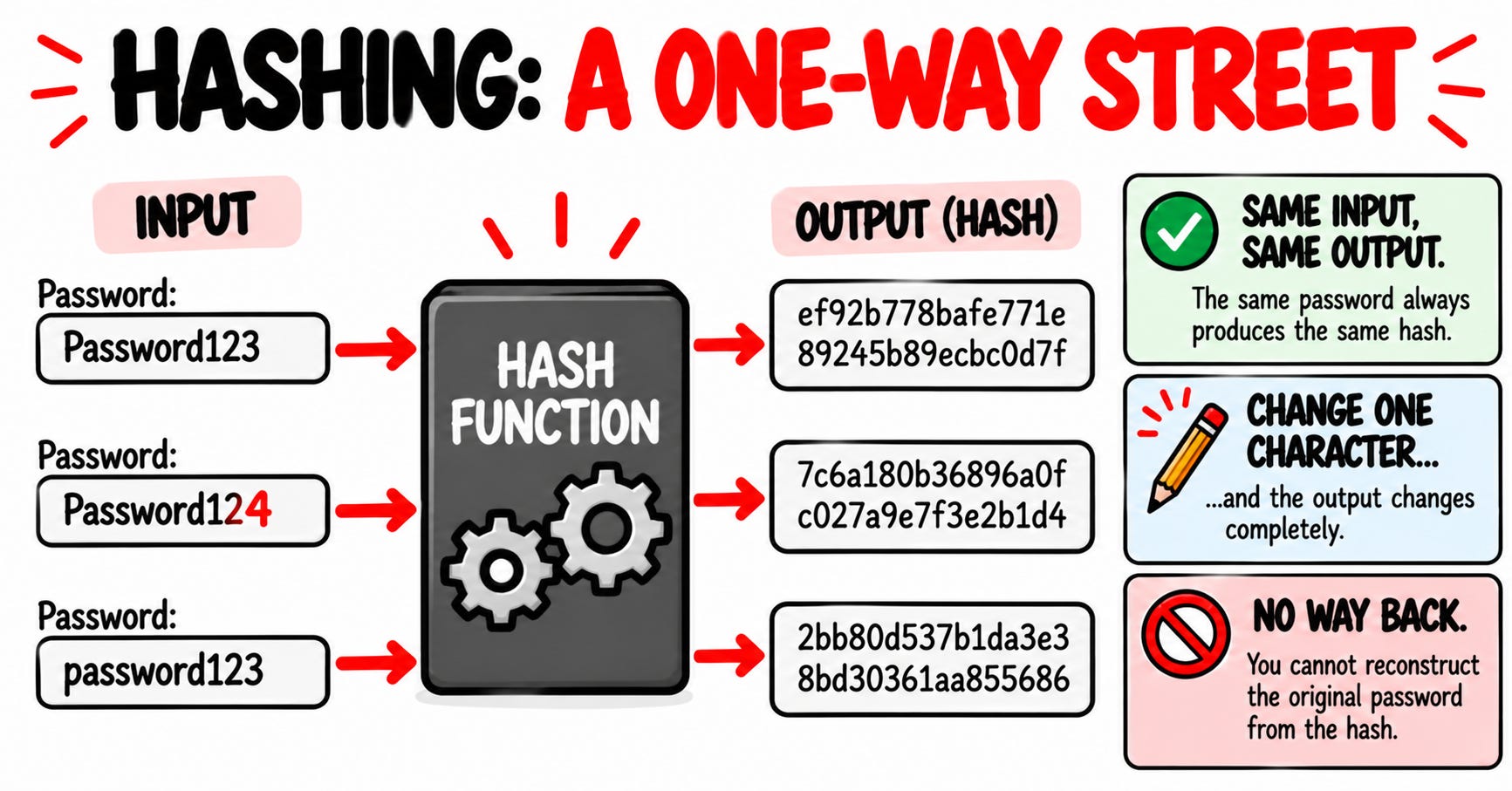
Key hash properties:
Same input, same output. Every single time. That’s what makes verification possible.
Change one character, and the output changes completely.
There is no practical “un-hash” operation. No key, no way back.
So the website stores your fingerprint, not your password. Sounds perfect, right?
Well, there are a couple of issues we need to solve first.
The Crack in the System
Avoiding storing passwords in plaintext is important, but it isn’t enough.
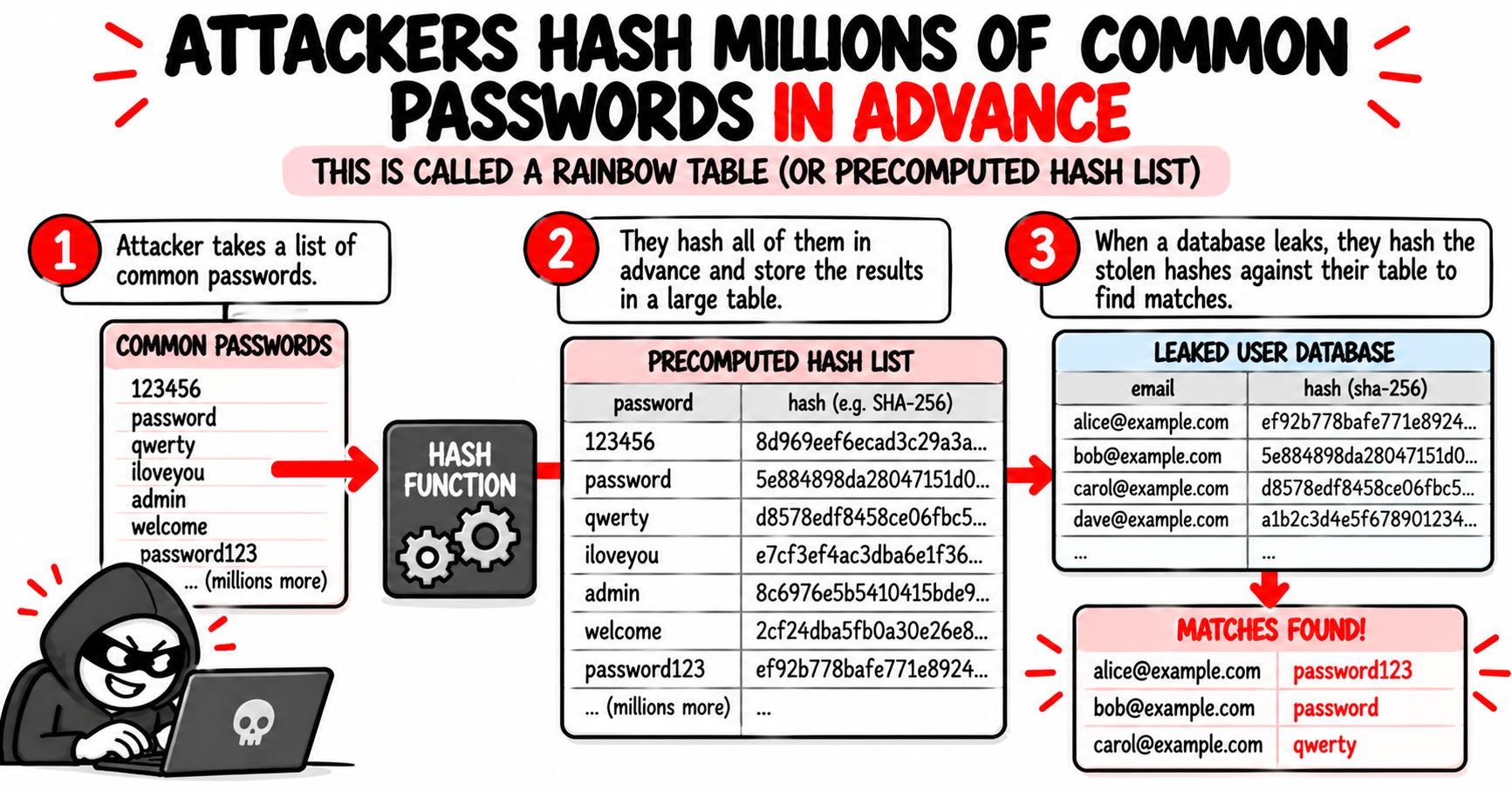
First: same password means same hash. A stolen database shows thousands of users with identical hashes, and attackers already know the most common passwords: password123, qwerty, iloveyou.
Second: attackers don’t guess one at a time. They hash millions of common passwords in advance and compare the results against stolen hashes.
Because so many people use the same passwords, one precomputed result works across many accounts, even across breaches.
Rainbow tables are one well-known technique for making this precomputation cheaper to store.
Want to see this happen? In my hands-on lab, you watch a weak hash get cracked in 0.0006 seconds, with real commands.
So what now?
Enter the Salt
A salt is a fresh, random, unique value generated for each stored password.
A new one every time a password is set or changed. It’s stored right next to the hash, and here is the part that confuses everyone: the salt is not a secret.
Conceptually, the system stores the result of a dedicated password-hashing function:
password-hashing function(password, salt, cost settings)
Now look what changed:
Two users with the same password have completely different hashes.
The attacker can still use the same dictionary of common passwords, but can no longer reuse one computed result across accounts. Every salt forces a separate computation.
In other words: the salt makes sure attackers can’t crack thousands of accounts with a single computation.
But there’s still one problem.
Make Every Guess Expensive
Salt stops attackers from reusing work. It doesn’t stop them from guessing fast.
General-purpose hash functions like MD5 or SHA-256 were built to be fast, which is great for checking files, but terrible for passwords, because fast for you means fast for the attacker: modern hardware can try billions of guesses per second.
That’s why passwords need dedicated password-hashing functions: bcrypt, scrypt, Argon2 or PBKDF2. They’re slow on purpose, and the “cost settings” control how slow.
For you, logging in once, the delay is barely noticeable. For an attacker trying billions of guesses, it adds up to an enormous amount of time.
Salt + slow hashing + a strong password. You need all three.
What Actually Happens When You Log In
Let’s put it all together:
You register. The system generates a fresh, random salt and stores the salt, the hash and the settings. Not the password.
You log in. Your browser sends the password over HTTPS. The server takes your stored salt and settings, hashes what you typed, and compares the fingerprints. Match? You’re in. No match? Rejected. The server never keeps a readable copy.
That’s also why a correctly designed service can’t send you your old password. It doesn’t have it. It can only let you set a new one.
Exam Takeaways (CC, Security+, CISSP)
Hashing is one-way; encryption is two-way. Hashing = verification and integrity. Encryption = confidentiality.
A salt is random and unique for each stored password, and NOT a secret. Its job is to stop precomputed results from being reused and to hide identical passwords. A pepper is a secret, stored separately.
MD5 and SHA-1 are not for passwords. Use bcrypt, scrypt, Argon2 or PBKDF2.
Salting doesn’t make weak passwords strong. A salted Password123 is still guessable.
Password hashing limits the damage of a database theft. It does nothing against phishing or keyloggers.
Remember: a stolen plaintext password gives an attacker the answer immediately. A properly salted, slow hash still has to be guessed, and every guess costs real computing time.
Conclusion
You can’t control how a website stores your password. You can control what happens if it leaks:
Use a unique password for every account. A password manager does this for you.
Turn on MFA wherever you can.
Check if your email appeared in a breach: haveibeenpwned.com
Hashing is also one of the traps on the CC exam. Want to know which domain would catch you? The free CC Readiness Test gives you a score for each of the 5 domains in 15 minutes:
Keep Learning
Hands-On Lab: How Attackers Crack Passwords in 0.0006 Seconds - see password cracking in action, with real commands
Hashing: What It Is and Why It’s Not the Same as Encryption - the companion piece to today’s topic
This Is How I Explain Data States to a Beginner - where encryption fits in the bigger picture
This Is How I Explain The Man-in-the-Middle Attacks To a Beginner - how passwords get stolen in transit
Everyone in Cybersecurity Talks About the OWASP Top 10 - the vulnerabilities behind password attacks
Let’s Connect
If you want to collaborate, discuss, or just geek out over networking and cybersecurity, reach out:
Email: erich.winkler@decodedsecurity.com
LinkedIn: Erich Winkler
Gumroad community: Decoded Security
Start Here: Decoded Security Roadmap
Enjoyed this article? Like it or drop a comment. I’d love to hear your thoughts and questions!
Let’s learn and grow together!