

Every business wants the same thing: Back up everything, restore it instantly, and never lose a single record.
Then you show them how much that costs.
That’s why I told you about the recovery metrics. MTD, RTO, WRT, RPO. The numbers that tell you what the business actually needs before you touch a single backup tool.
This week, we finish the job and learn about the backup strategies available and their benefits and drawbacks.
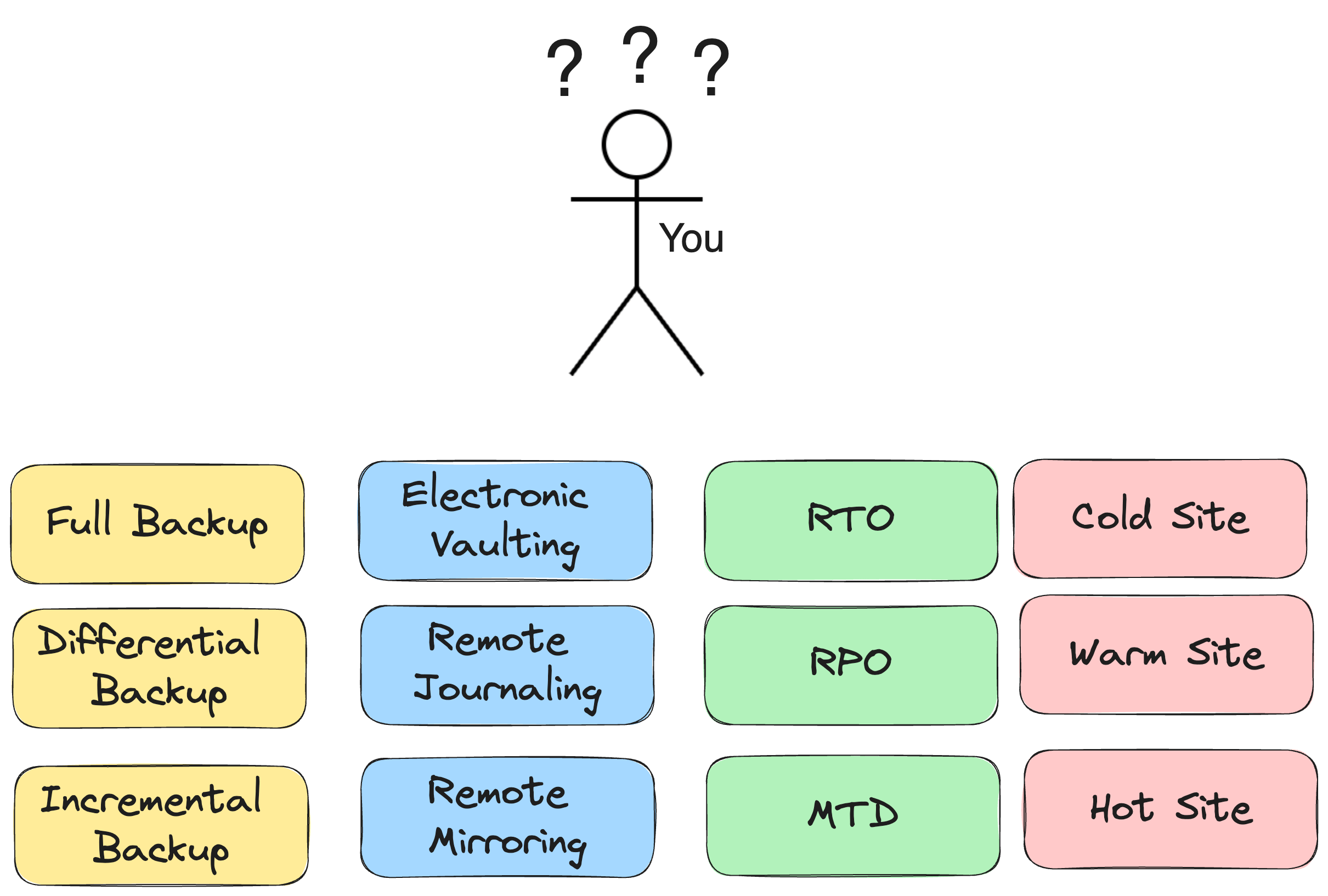
CISSP, CC, and Security+ Domain 7 essential. This also happens to be one of the most common interview questions for SOC and GRC roles, so pay attention.
What you’ll learn in this article:
The real difference between full, incremental, and differential backups (and why restore time is the part everyone forgets)
The enterprise techniques used for database and always-on systems: electronic vaulting, remote journaling, remote mirroring
The 3-2-1 rule, and the modern version that actually accounts for ransomware
The Three Backup Methods
Every certification exam expects you to know these. More importantly, so does every hiring manager who’s ever had to explain a bad restore to their boss.
But first, what is a backup method?
A backup method is just the rule that decides what gets copied and how often.
Not where it’s stored, not how fast you can restore it, just the logic behind what data actually gets captured each time a backup runs.
Let’s take a look at what methods are out there.
Do you think you understand backup methods already? Let’s find out!
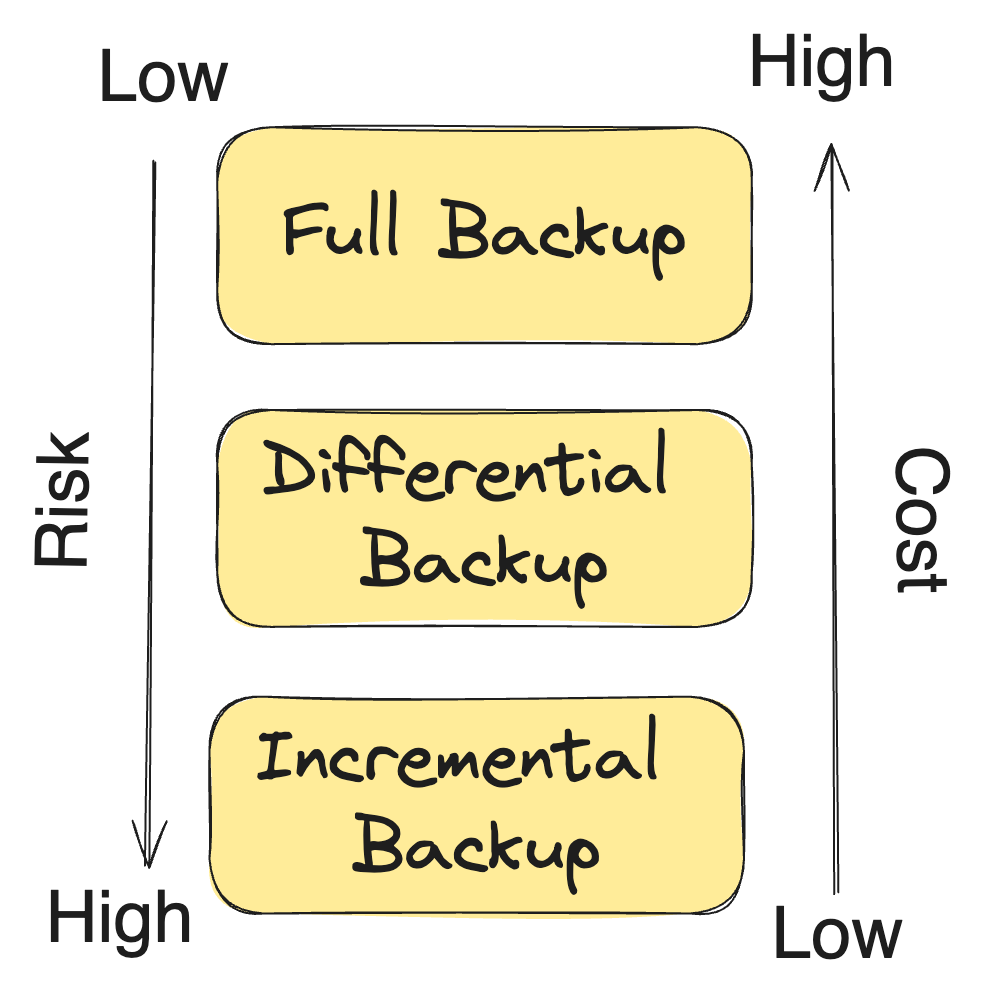
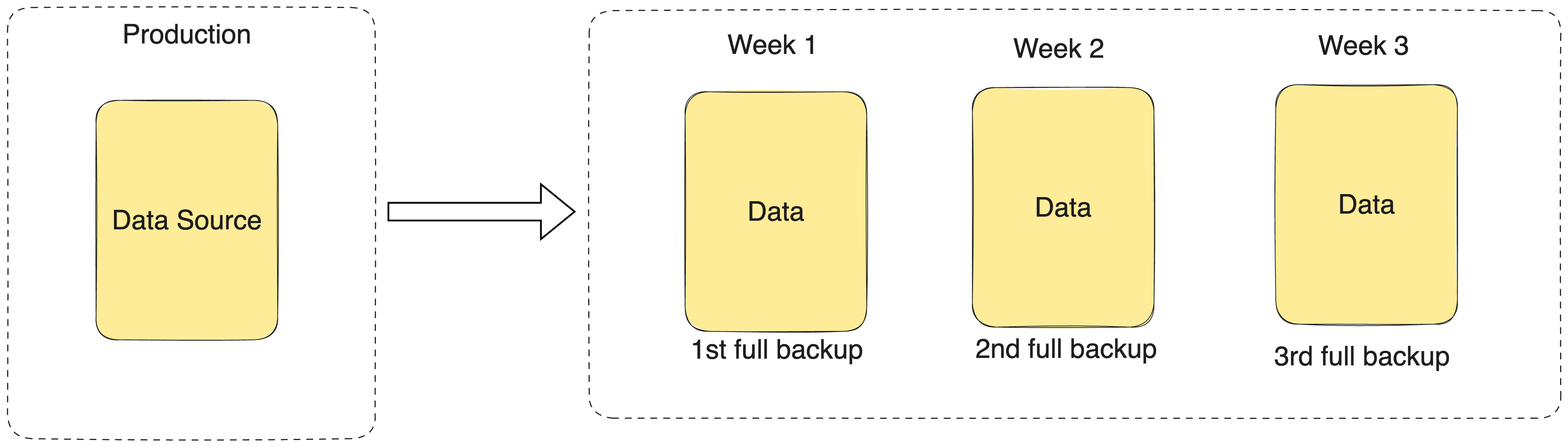
1. Full Backup
This one is actually the easiest to understand. You take all the data and back it up. Everything, without a difference. Every file, every byte, every time.
It’s the safest method, but it requires the most resources. And as you know, we always have to balance cost and benefits.
Frequency: Usually weekly or monthly. It’s big, and it’s slow.
Restore: One backup set. That’s it. Nothing else needed.
Trade-off: Simple to restore, expensive to run constantly
2. Incremental Backup
Copies only what changed since the last backup, whether that last backup was a full or another incremental.
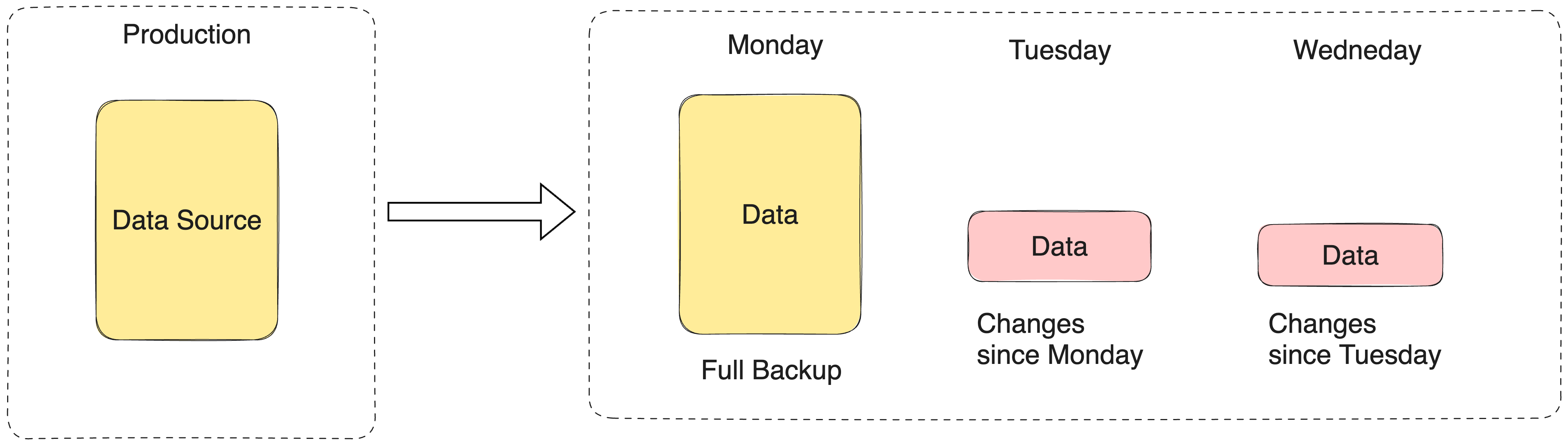
Frequency: Daily, sometimes hourly. Small and fast.
Restore: You need the last full backup, plus every single incremental since then, applied in order.
Trade-off: Cheapest to run. Riskiest and slowest to restore.
Remeber: One corrupted incremental in the chain, and everything after it is unusable.
3. Differential Backup
Copies everything that changed since the last full backup (not the last backup, the last full).
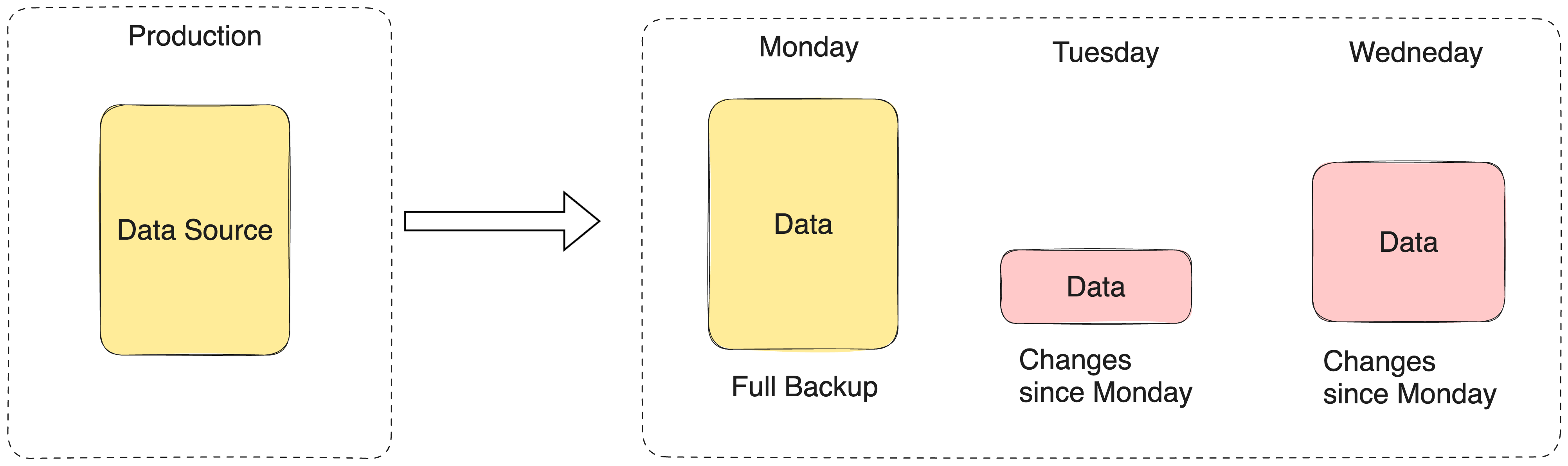
Frequency: More often than full, less often than incremental.
Restore: Last full backup, plus the most recent differential. That’s the whole chain.
Trade-off: Bigger than incrementals over time, but restore is fast and doesn’t depend on a fragile chain.
Exam trap: Incremental backs up since the last backup of any kind. Differential backs up since the last full backup only. Mix those two up and you will get this question wrong.
If this cleared up something you’ve been fuzzy on, give the article a like. It genuinely helps more people preparing for these exams find it.
When You’re Backing Up More Than Files
Full, incremental, and differential work fine for file servers. But what happens when the system can’t afford to be down long enough for a traditional restore?
Databases, transaction systems, anything close to real-time.
That’s where three enterprise techniques come in. You’ll see all three on the CISSP exam, usually as a “which one fits this scenario” question.
Electronic Vaulting
Bulk data gets transferred automatically to an offsite location on a schedule. Think of it as a scheduled, automated backup job over a network instead of a tape driving to a warehouse.
The catch: it moves in batches. If disaster hits between transfers, you lose whatever wasn’t sent yet.
Did this article help you understand how data security actually works? Give this article a like and help other people find it.
Remote Journaling
Instead of sending bulk data on a schedule, this transmits the actual transaction logs continuously, in near real time. That gets you point-in-time recovery instead of “whatever we captured at the last batch.”
Remote Mirroring
The most expensive, most complete option. A live, functioning duplicate of your system at another site, updated synchronously or asynchronously.
If your RPO is zero, this is the only option on this list that gets you there. Nothing else does.
Your RPO from last week’s article is what tells you which one you actually need. It is no surprise that the smaller is your RPO, the more expensive it gets.
The 3-2-1 Rule
The 3-2-1 rule is the golden standard, and it's not just theory. It's the baseline that regulations and compliance frameworks expect you to meet, and it's the one backup concept that comes up in almost every audit, exam, and interview.
Luckily for you, it’s actually quite simple!
3-2-1 rule:
3 copies of your data (the original plus two backups)
2 different types of media (so one failure mode doesn’t take out everything)
1 copy stored offsite (so a fire, flood, or local disaster doesn’t take out everything either)
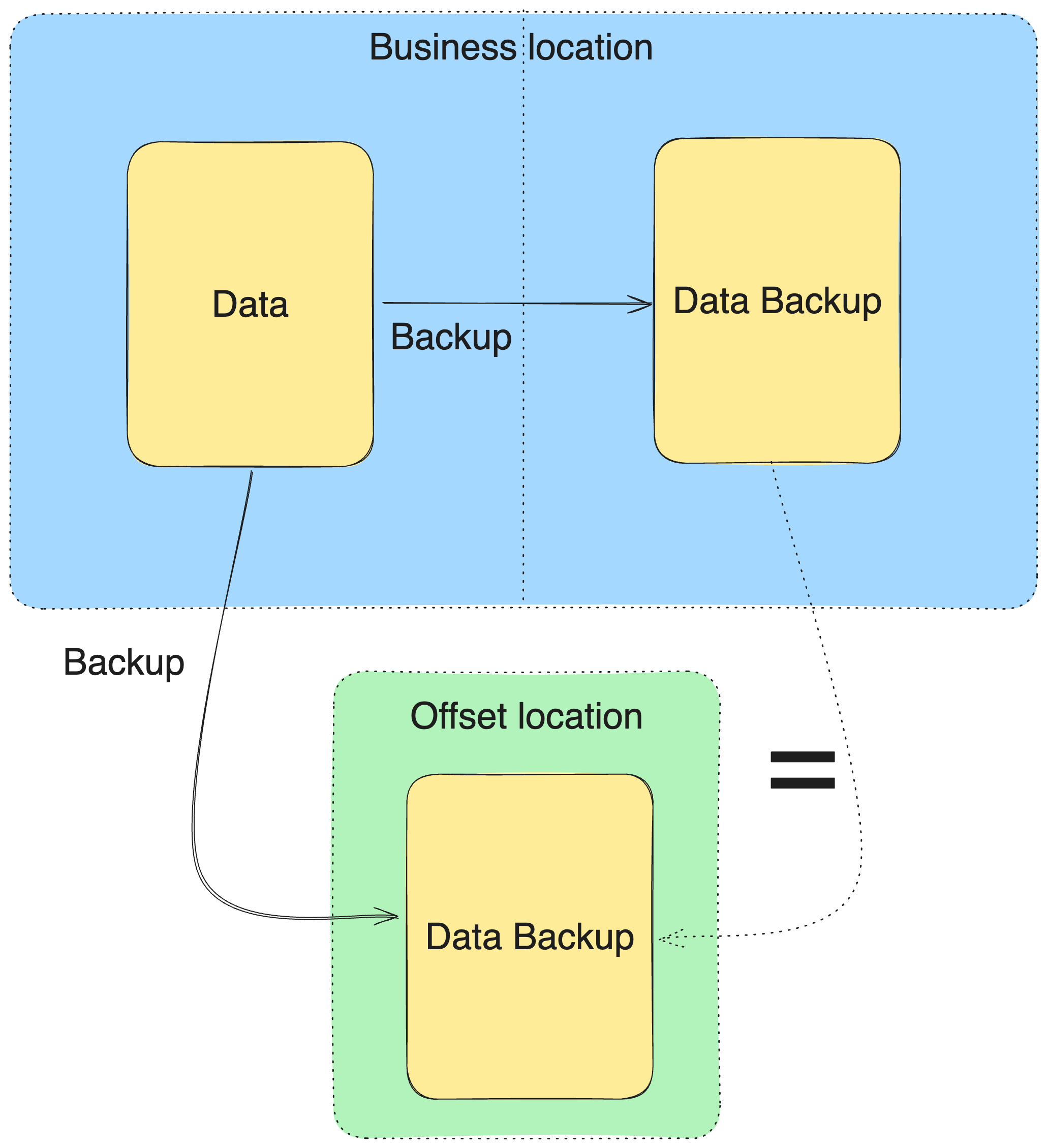
Here’s why each number exists, not just what it is:
One copy is a single point of failure. A bad drive, and it’s gone.
Two copies on the same media type share the same failure mode. A firmware bug or a ransomware strain that targets the media wipes both.
Even three copies fail together if they’re all in the same building. A fire, a flood, or a break-in takes out everything at once.
3-2-1 forces you to remove all three failure points in one move. That's why it stuck around this long, and why it's still the first answer expected in any conversation about backup strategy.
Reading about something is one thing, actually understanding it is something completely different. Test if you can actually apply the concepts from this article! This is how you get better!
If you’ve made it this far, you now understand backup strategy better than most people who’ve been in IT for years.
Give this a like, it tells me to keep writing the technical deep dives!
Bringing It All Together
Congratulations. If you’re reading this, I am proud of you!
As a reward, I created a short summary to help you remember the most important parts of this article.
Start with your RPO and RTO from last week. They’re not optional context, they’re the whole basis for every decision below.
Choose your method (full, incremental, differential) based on how much data changes and how fast you need to restore it.
If the system is transactional or can’t tolerate any real data loss, layer in journaling or mirroring instead of relying on the method alone.
Test it. Untested backups fail exactly when you need them most, which is the entire plot of the story I opened this article with.
And that’s all for today!
Thank you for reading Decoded Security, and see you next week!
Before you leave, make sure to take the quiz and post your score to the comments!
Here is what to read next
Frequently Asked Questions
What’s the difference between incremental and differential backups? Incremental backs up everything changed since the last backup of any type. Differential backs up everything changed since the last full backup. Incremental is smaller and faster to run, but the restore depends on every backup in the chain. Differential is bigger over time, but restore only needs the last full plus the latest differential.
Is tape backup obsolete? Not entirely, it still appears in long-term archival use cases and on exams, but disk-to-disk and cloud repositories have replaced it as the default for anything needing a fast restore.
What is the 3-2-1 rule in backup strategy? Three copies of your data, on two different types of media, with one copy stored offsite. It’s a baseline standard, though many organizations now extend it to 3-2-1-1-0 to account for ransomware and to require verified, error-free recovery testing.
What’s the difference between remote journaling and remote mirroring? Remote journaling transmits transaction logs continuously for point-in-time recovery. Remote mirroring maintains a full, live duplicate of the system at another location. Mirroring is faster to recover from but far more expensive.
Let’s Connect
If you want to collaborate, discuss, or just geek out over networking and cybersecurity, reach out:
Email: erich.winkler@decodedsecurity.com
LinkedIn: Erich Winkler
Gumroad community: Decoded Security
Start Here: Decoded Security Roadmap
Enjoyed this article? Like it or drop a comment. I’d love to hear your thoughts and questions!
Let’s learn and grow together!
Great article, I thought I knew more than I actually did, which I am sure is the case for a lot of readers. I took the exam before reading the article scored 6/10, read the article got 10/10. I could have used this on some of the certs I have studied to take.
Nice post. I'm presenting to a non technical audience in a few weeks on how to use technology and protect their work. It's a hard to make it simple. Also why cloud drive sync is not the whole solution