

It was a day like any other. Maybe a little calmer than usual.
Then you realized it was too calm.
No new emails. Teams was silent. Something was going on.
Later you found out that for more than 24 hours, Outlook, Teams, SharePoint, and Copilot stopped working for companies, hospitals, courts, and governments in 74 countries.
74!
Of course, everybody started asking whether Microsoft had been hacked.
It wasn’t. But business continuity plans in many organizations were still put to the test.
The truth is, when your email, chat, files, meetings, and AI assistant all run on one cloud platform, an outage can stop much of the business at once.
So let’s find out what really happened and how you should prepare for the next time.
What actually happened
Microsoft’s full post-incident report is still coming, but here’s what we know so far.
A hidden bug had been sitting in the system since an earlier network capacity upgrade. Then a later network change triggered it.
Then the dominoes fell:
The servers that set up secure connections got overwhelmed.
They failed their health checks and were taken out of service.
Their work moved to the remaining servers.
Those couldn’t handle the load and failed too.
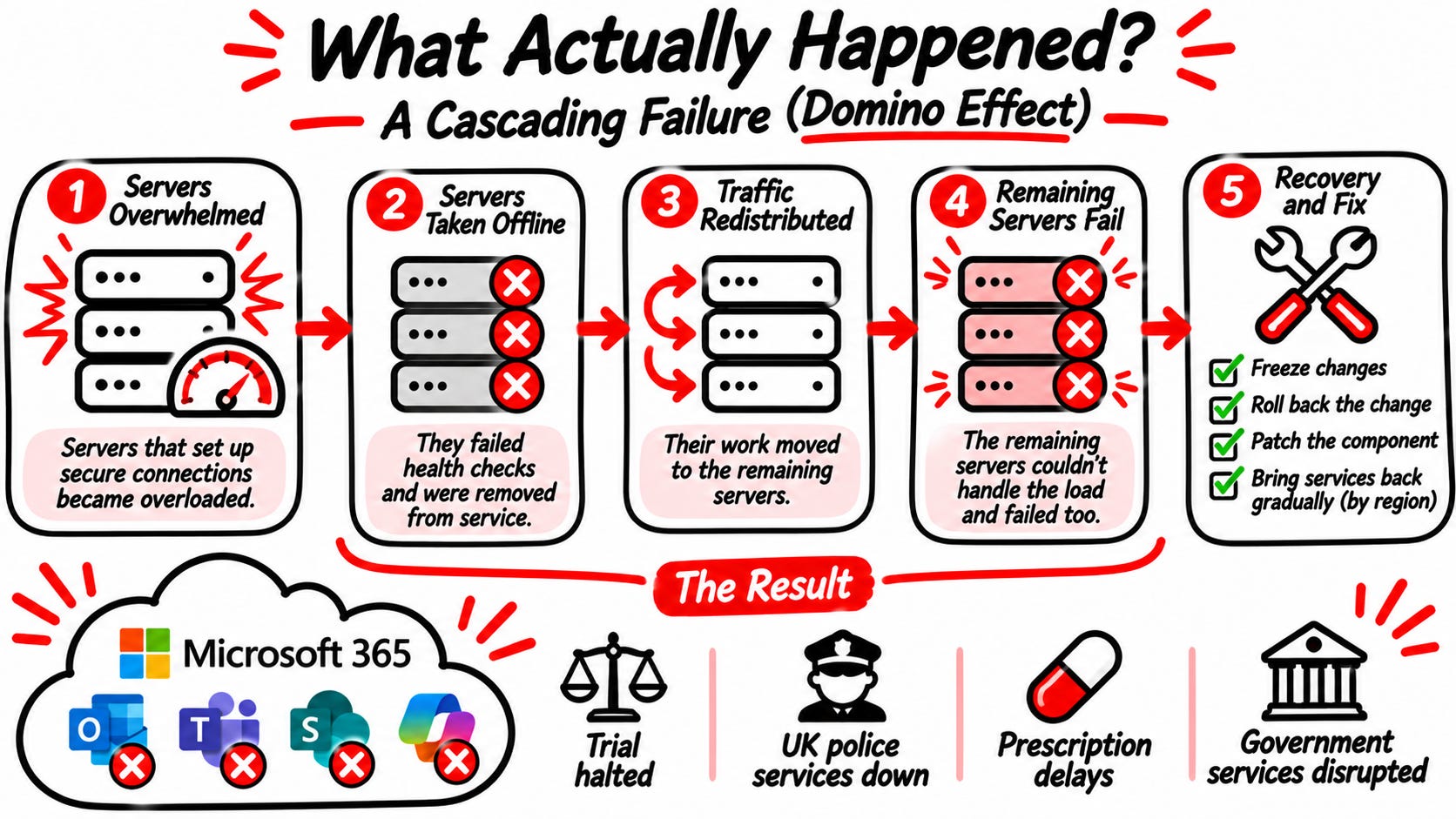
Engineers call this a cascading failure.
And fixing it wasn’t simple. Servers that came back crashed again as soon as traffic returned. Microsoft had to freeze all changes, roll back the network change, patch a component and bring services back slowly, region by region.
The impact was real: a trial in Manchester was halted, UK police couldn’t take crime reports online, pharmacies saw prescription delays, and government agencies in at least five countries were disrupted. And I am sure you’ll find more examples probably at your own company too
All because of one hidden bug and one routine change. A simple mistake that affected the lives of millions of people.
What should we take from this story?
This isn’t a story about Microsoft being bad at its job. And I don’t want to get into that.
We all know that at this point it is next to impossible to replace Microsoft as a vendor.
But that doesn’t mean we should be blind to the single point of failure caused by running email, chat, files, meetings, and AI on one platform.
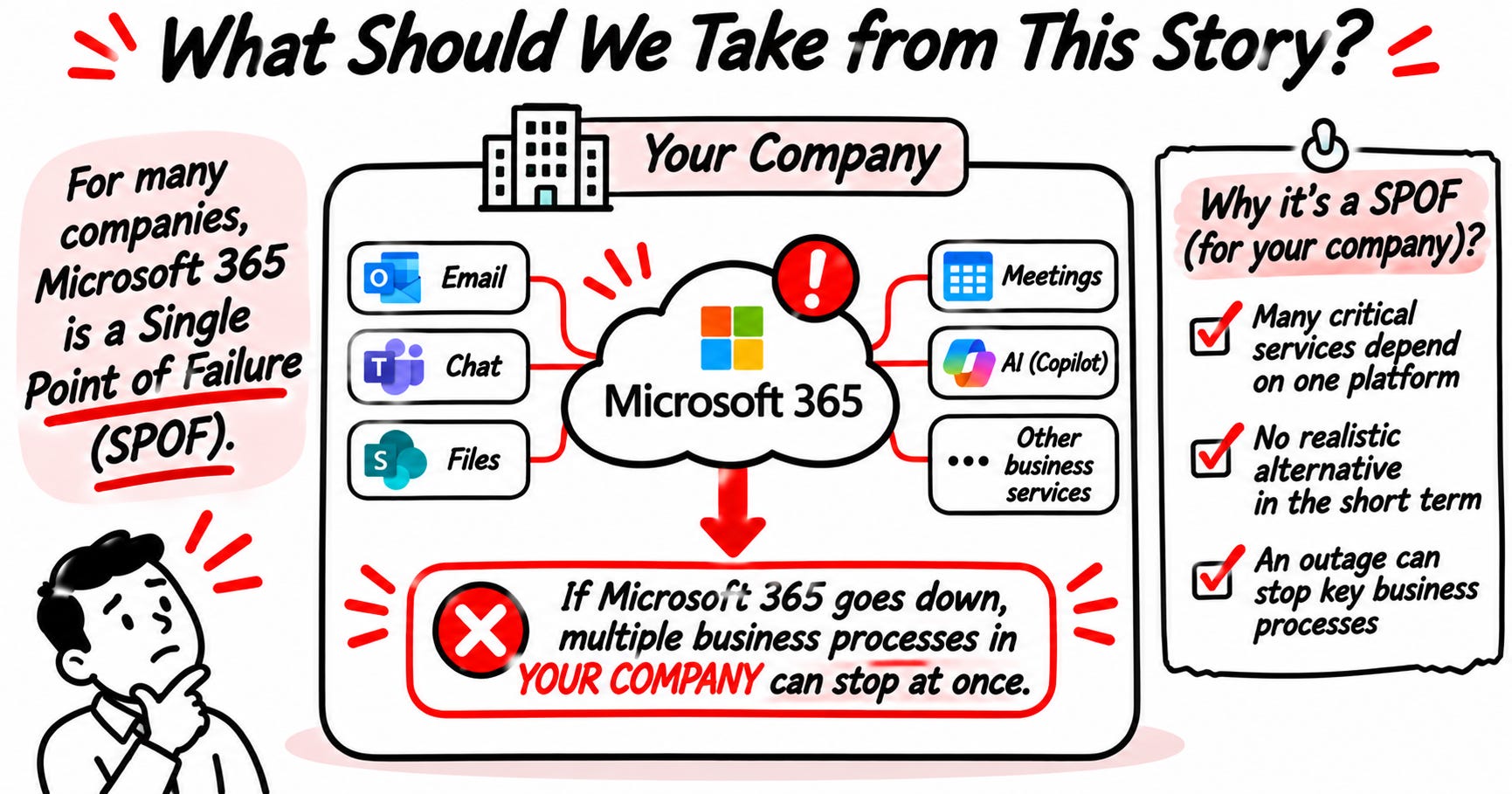
When the Microsoft platform goes down, everything in your company goes down with it.
Definition: A Single Point of Failure (SPOF) is a component, system, or resource whose failure can cause an entire service or process to become unavailable because no redundancy or alternative exists.
And no, the argument that it won’t happen again doesn’t hold.
Let’s take a look at recent history:
July 2024: a faulty CrowdStrike update crashed millions of Windows computers
January 2026: a Microsoft 365 outage lasted almost 10 hours
November 2026: this one, about 24 hours
So yes, it WILL happen again. The question is whether you’ll be ready for it.
Let me guess, now you’re thinking about the SLA that Microsoft offers.
I have bad news for you. Microsoft 365 promises 99.9% uptime. That still allows about 43 minutes of downtime a month. And if they miss it, you get service credits, a partial refund.
That doesn’t give you your business day back nor make you whole.
So what are our options then?
Task for risk management
So let’s review the situation. We have a critical vendor on which many critical processes rely in our company.
And here is the catch: it can’t realistically be replaced.
That’s exactly why it belongs in your risk register. A risk you can’t remove is still a risk. You just have to manage it differently.
Step 1: Describe the risk
And please, don’t say “Microsoft could go down.” That’s too vague to act on.
Describe specific services that can go down, so you can assess what processes in your company it will influence.
Step 2: Assess it
How likely is it? Recent history says it’s not a once-in-a-decade event.
How bad would it be?
Ask each department one question: “What would you do if Microsoft 365 were gone for a full day?”
They probably have no idea what you’re talking about, so ask IT what would really happen.
Step 3: Decide how to treat it
Every risk has four options:
Avoid: stop using Microsoft. Not realistic for most companies.
Transfer: Shift part of the cost to someone else. Very difficult in this case.
Mitigate: reduce the impact. This is where you can really make a difference (see the 5 steps below).
Accept: whatever remains after mitigation has to be formally accepted by management. Not by IT. Not by default. Or maybe you decide that nothing really happens to your business if email is down for a day and you decide not to spend any resources to reduce the impact. THAT IS A VALID SOLUTION!
In this case, if you decided that there is a negative impact on your business, you most likely need to lower it. Let’s take a look at how.
5 things to prepare before the next outage
Know what depends on what. That’s what we did in step 1 of the risk management process. List the processes that would be affected by the outage.
Have a backup way to communicate: In this case, the communication would be affected the most. So create compensation controls to lower the impact. A phone tree, a separate chat tool, an SMS group. Something that you agree on in advance, because you can’t announce your backup channel over the channel that’s down.
Decide who makes the call. Wait, switch to manual work, or inform customers? If nobody owns that decision, everyone waits. Make sure you know who calls the shots in these situations.
Keep critical documents offline. Key contacts and emergency procedures shouldn’t live only in SharePoint. Otherwise they’re down too. Make sure to have them stored somewhere on your infrastructure and have a PHYSICAL copy.
Test it. Once a year: “Microsoft 365 is down, what do you do? Go.” You’ll find that your plan has serious issues that you would otherwise miss.
Do this for all your critical processes, and congratulations! You just invented risk management along with business continuity management in your company.
Save this checklist for your next BCP review. Or better: forward it to whoever owns business continuity at your company.
What to do now
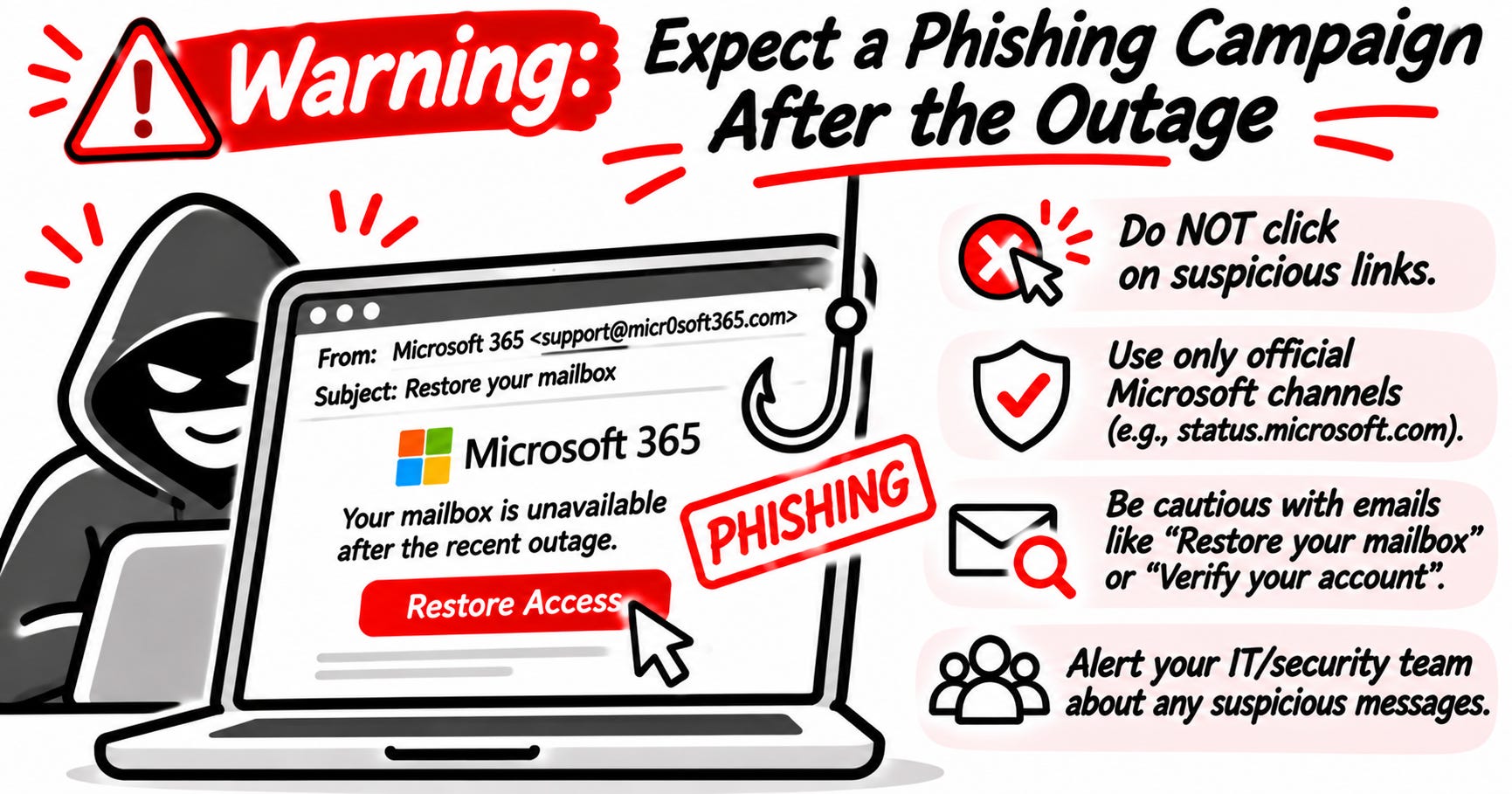
Besides managing risk related to the Microsoft services, there is one thing that I would like to warn you about. After any major outage, there is always a wave of phishing attacks.
So be careful about all these fake “restore your mailbox” emails. Do not click any links and always use official sources only. Microsoft even has an official status page.
If you want to do something extra, write down what went wrong for you. Who couldn’t work, and what did they do instead? That’s the start of your continuity plan.
This is the best time to gather this information, because everyone will forget it in a week, trust me.
Risk management and business continuity are core topics on the ISC2 CC exam. Want to know how ready you are?
Conclusion
Let this outage be a reminder that cybersecurity isn’t all about cyber attacks. Sometimes all it takes is one simple mistake. These things happen, and our job is to be ready for it.
I know creating business continuity and disaster recovery plans isn’t fun, but it’s something that actually protects the business itself.
Make sure that next time, you’re ready!
Remember: You can’t control when the cloud goes down. You can control whether your company stops with it.
The answer to the Poll: Availability. The CIA triad stands for Confidentiality, Integrity and Availability, and availability means people can use systems when they need them. No hacker needed. If you picked "None", you're not alone, but security isn't only about attacks.
Let’s Connect
If you want to collaborate, discuss, or just geek out over networking and cybersecurity, reach out:
Email: erich.winkler@decodedsecurity.com
LinkedIn: Erich Winkler
Gumroad community: Decoded Security
Start Here: Decoded Security Roadmap
Enjoyed this article? Like it or drop a comment. I’d love to hear your thoughts and questions!
Let’s learn and grow together!
The 43 minutes a month point is the one most small businesses haven't clocked. For a five-person office, the cheapest continuity is boring: a phone list of staff and key clients that doesn't live in Outlook, a backup channel everyone already knows to switch to, and someone who can update the website to say "email's down, please call". None of that needs a second vendor. Did you see many organisations with a fallback that actually worked on the day?
The Manchester trial detail lands hardest for me. A court halting because email and chat went down shows how one vendor outage becomes a public service failure, not just an IT headache. Your point about the 99.9% SLA still allowing 43 mins of downtime is worth repeating to any board that thinks a contract equals cover.