

Networking fundamentals every cybersecurity beginner must understand
After publishing my article about the 5 most important network protocols every cybersecurity beginner should understand, many of my subscribers asked me what else people should know about networking.
That’s why I’d like to explain one of the most fundamental concepts of modern networking.
Because protocols like HTTP, TCP, UDP, SMTP, and FTP explain how systems communicate.
But there is another question beginners rarely ask:
Where are these systems actually located?
Because communication between systems only makes sense if you understand how networks are structured.
And that leads us to one of the most important concepts in cybersecurity:
Private IP addresses, public IP addresses, and network segmentation.
Understanding this will help you answer a surprising number of interview questions and explain how attackers move through networks.
‼️ Free Resource 🚨
If you’re new to cybersecurity, figuring out what to learn first can be overwhelming. I know because I’ve been there.
So I decided to put the most important concepts in one place.
I created a free 80-page guide that explains the 10 cybersecurity concepts behind 90% of entry-level interview questions.
Now, you don’t need to spend thousands as I did.
👉 Download it for free: decodedsecurity.gumroad.com/l/Top10_Cybersecurity_Concepts
Quick Recap: Systems Are Always Communicating
In the previous article, we talked about protocols like:
• HTTP for web traffic
• TCP for reliable communication
• UDP for fast communication
• SMTP for email
• FTP for file transfers
These protocols define how systems talk to each other.
For example:
Your browser communicates with a web server using HTTP over TCP.
But before that communication even starts, something else must happen.
Your computer needs to know:
Where is the server located?
And this is where IP addresses come in.
What Is an IP Address?
An IP address is basically the network location of a device.
Think of it like a postal address for computers.
Example:
192.168.1.15This address allows other systems to send data to your device.
Without IP addresses, protocols like HTTP or SMTP would have no idea where to send data.
But not all IP addresses behave the same.
There are two types you absolutely need to understand.
Note: If you are not familiar with network devices, I recommend reading this article: What are the things that keep our networks alive?
Public IP Addresses
A public IP address is visible to the entire Internet.
Anyone can send traffic to it.
Example:
8.8.8.8This is Google’s public DNS server.
Public IP addresses are assigned by:
internet service providers
cloud providers
hosting companies
From a cybersecurity perspective, this is important because:
Anything with a public IP address is exposed to the internet.
And exposed systems get scanned constantly.
There are automated bots scanning the internet 24/7 looking for:
vulnerable servers
outdated software
open ports
misconfigured services
Public IP addresses create an attack surface.
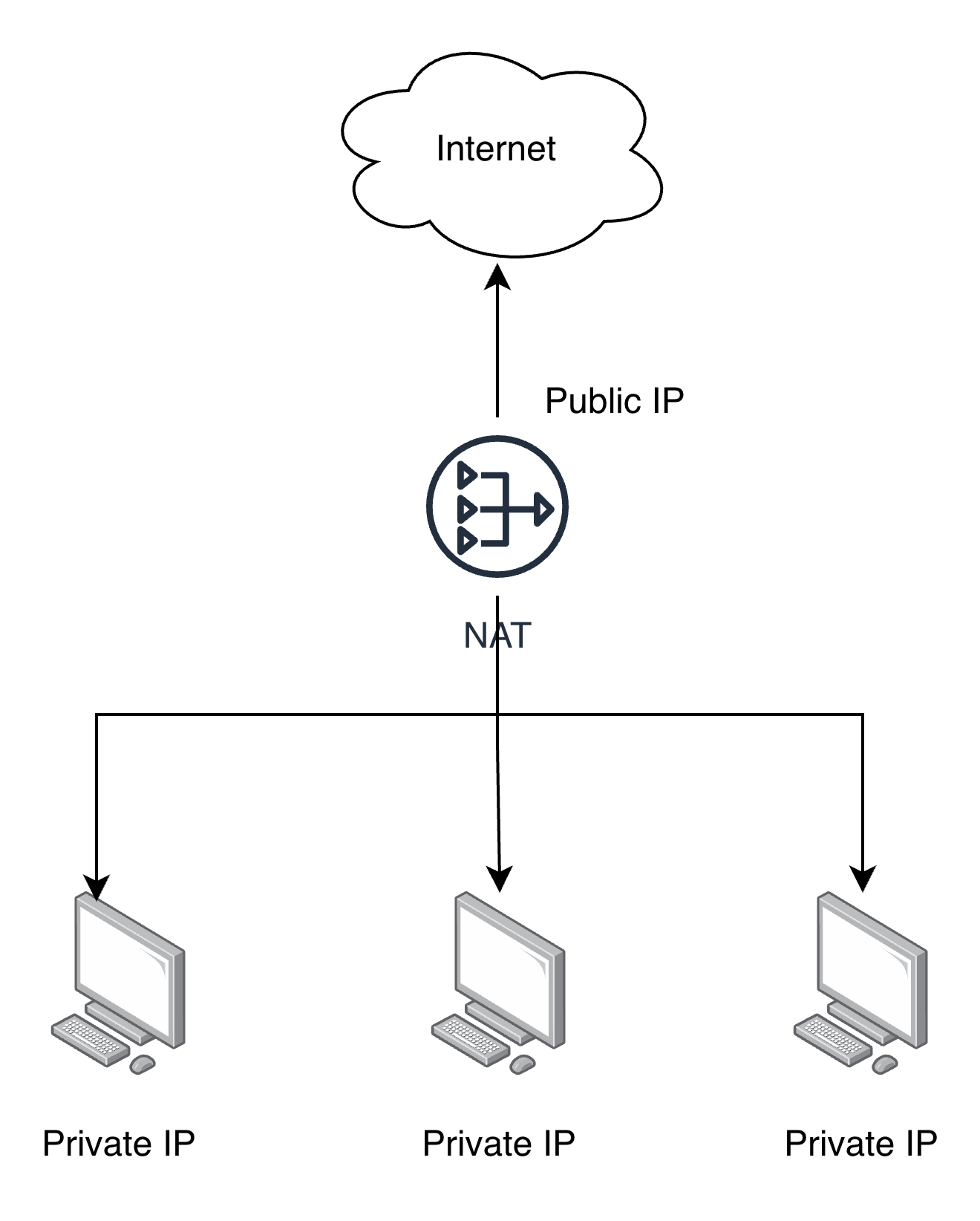
Are you interested in more articles about networking? Let me know in the comments!
Private IP Addresses
Private IP addresses are used inside internal networks.
They cannot be reached directly from the internet.
Why do we need them?
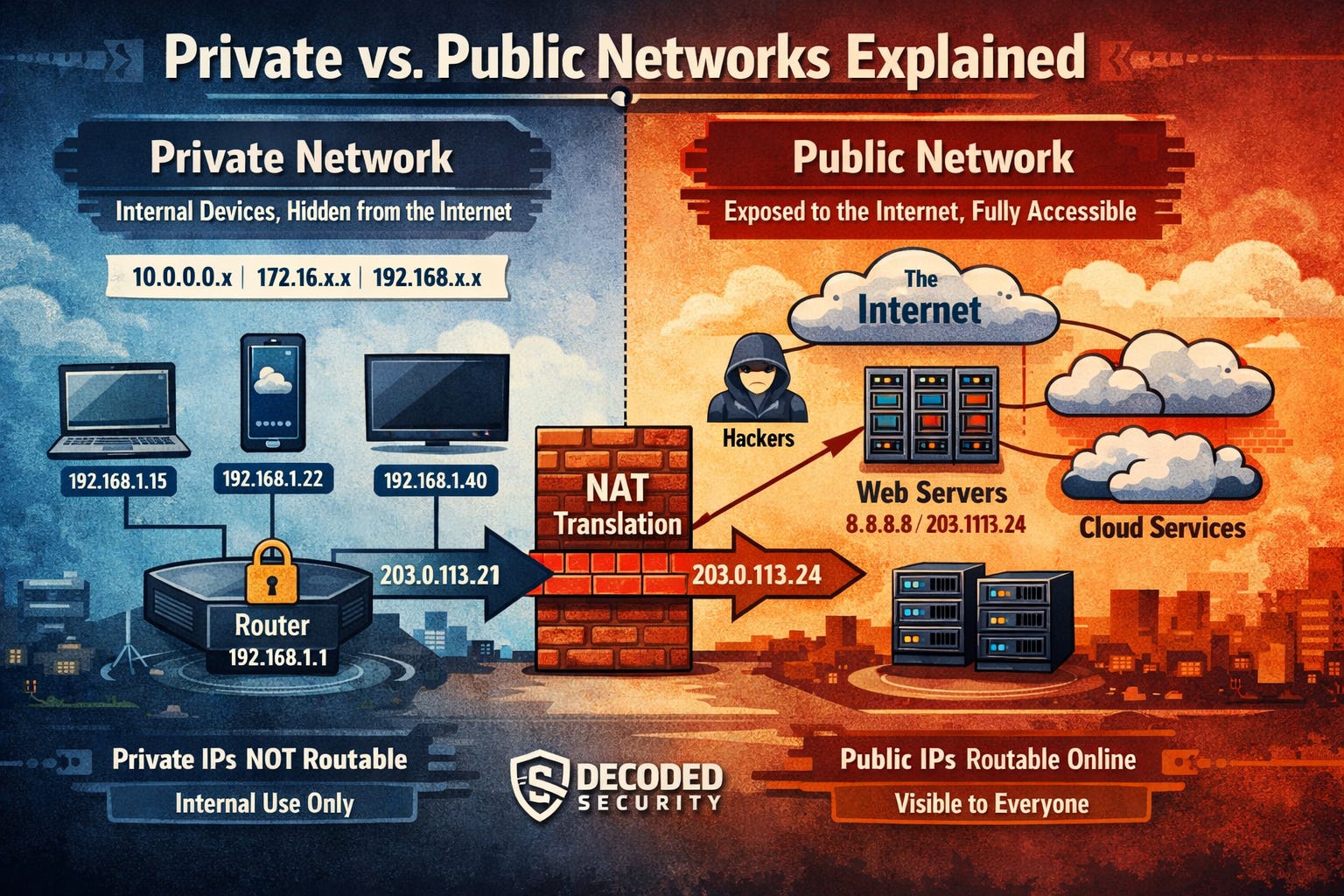
Because there aren’t enough public IPv4 addresses for every device in the world. Instead of giving every device its own public IP, networks use private addresses internally, which can be reused by anyone.
If you check your home network right now, your devices probably look something like this:
Router: 192.168.1.1
Laptop: 192.168.1.15
Phone:  192.168.1.22
TV:     192.168.1.40
These devices communicate internally using private IP addresses.
But they still access the internet.
How?
Through something called NAT.
NAT: The Translator Between Private and Public Networks
Your router has two identities.
Inside the network:
192.168.1.1On the internet:
203.0.113.24When your laptop sends traffic to a website:
192.168.1.15 → google.comYour router translates it so the internet sees:
203.0.113.24 → google.comThe response then returns to the router, which forwards it to the correct internal device.
This allows many devices to share a single public IP address.
But here’s something many beginners misunderstand.
Private IP addresses were created to solve an address shortage problem, not security problems.
If you’d like to see how this works in practice, I can show you how to build a small simulated network on your own computer.
We’ll create a private network, assign IP addresses, and see how NAT works in real time.
If you’re interested, let me know in the comments and I’ll create the lab.
What Should You Learn Next?
If you’re starting your cybersecurity journey, focus on fundamentals.
You don’t need to learn everything at once.
Start with:
IP addressing (Here)
These concepts appear everywhere in cybersecurity.
And if you master them, you will already be ahead of most beginners.
Let’s connect
If you want to collaborate, discuss, or just geek out over virtualization and cloud security, reach out to me:
Email: erich.winkler@decodedsecurity.com
LinkedIn: Erich Winkler
Gumroad community: Decoded Security
Enjoyed this article? Like it or drop a comment. I’d love to hear your thoughts and questions!
Let’s learn and grow together!
Hi Erich, I hope you are well.
Your articles are fantastic!
Did you get round to creating that lab showing us how NAT works? If so, please direct me towards it.
Kindest regards.