

You’ve reached the end of the data lifecycle.
You decided it’s time to get rid of the data or maybe an old laptop.
And if you read the previous article, you already know:
deleting data isn’t destruction.
If you’re not familiar with the Data Lifecycle, don’t worry! I got you covered!

The “Delete” key is a lie.
Emptying the recycle bin is a lie.
Even factory resets can be a lie.
So any hard-drive with your data is a liability.
Warning: If you’re preparing for the CISSP certification exam, you want to really pay attention to this article!
Just because you don’t see the files in your file explorer, doesn’t mean it’s gone.
It’s probably just waiting for someone with the right tools to bring it back from the dead.
And attackers are really good necromancers.
Today, we’re going to fix that.
Do you find this article helpful? Let me know in the comments!
Secure Data Destruction
Why Data Destruction Matters
At some point, every piece of data reaches the end of its useful life. Maybe it’s old customer records, outdated contracts, developer test data, or backup drives from five years ago.
And the rule of data security is clear: Do not store more data than you need!
If you dispose of it incorrectly, attackers can:
Recover sensitive files from “dead” hard drives
Rebuild fragments of deleted databases
Extract private keys or credentials
Pull PHI or PII from recycled corporate laptops
And this isn’t theoretical.
Organizations get breached every year because they threw away data they thought was gone.
Why?
Because for most people is sounds absurd. The hard drive is dead, why should I care about it?
But the CISSP, and every major security standard, agrees on one thing:
Data isn’t gone until it’s unrecoverable.
Let’s break down how to do that properly.
So, how should we make the data unrecoverable?
Methods of disposal
Before we dive deeper into secure data disposal, we need to speak a common language.
Not all “data destruction” is the same, not even close.
CISSP materials break it down into three major categories:
Destruction
Purging
Clearing
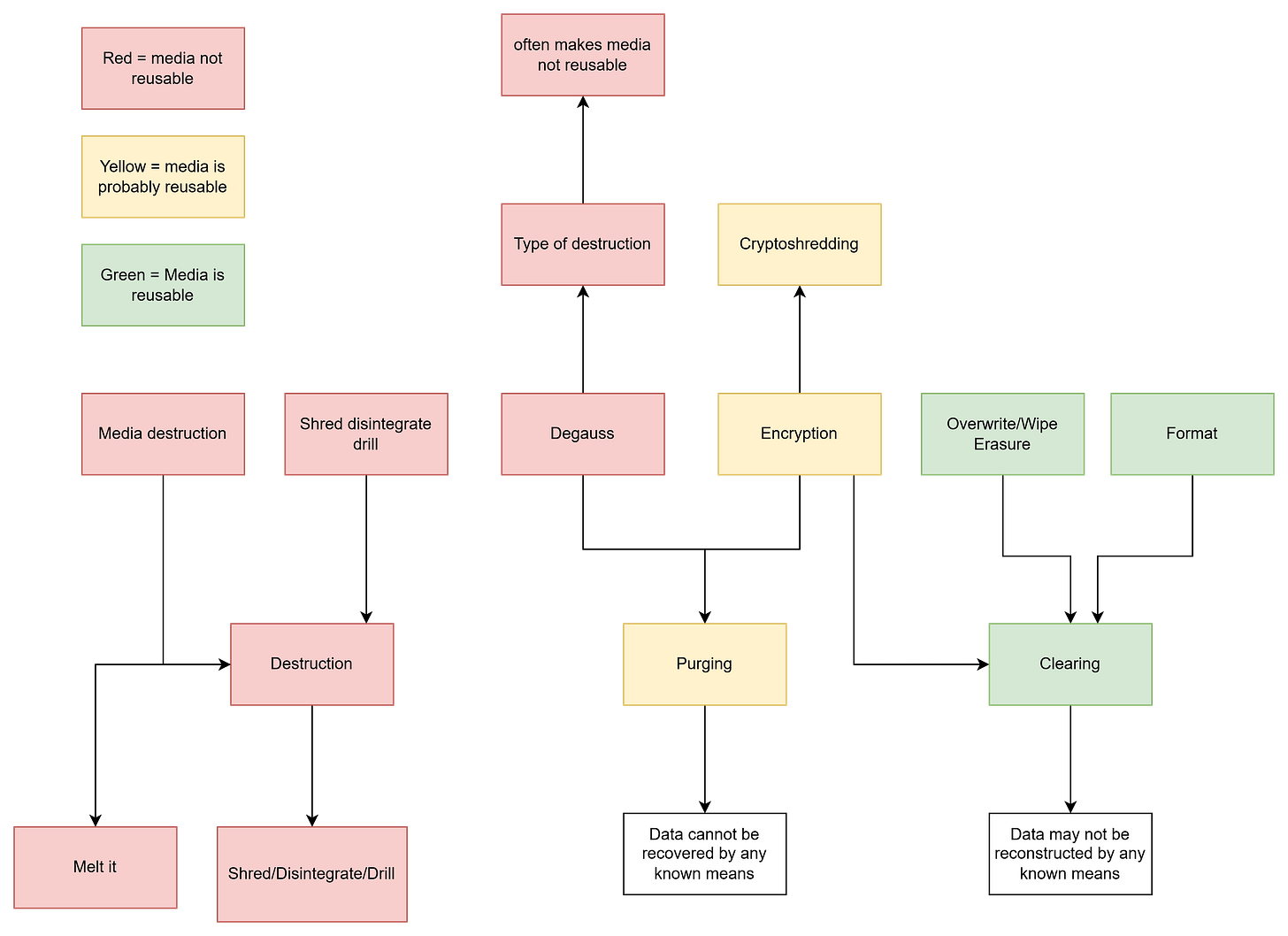
Methods of data disposal
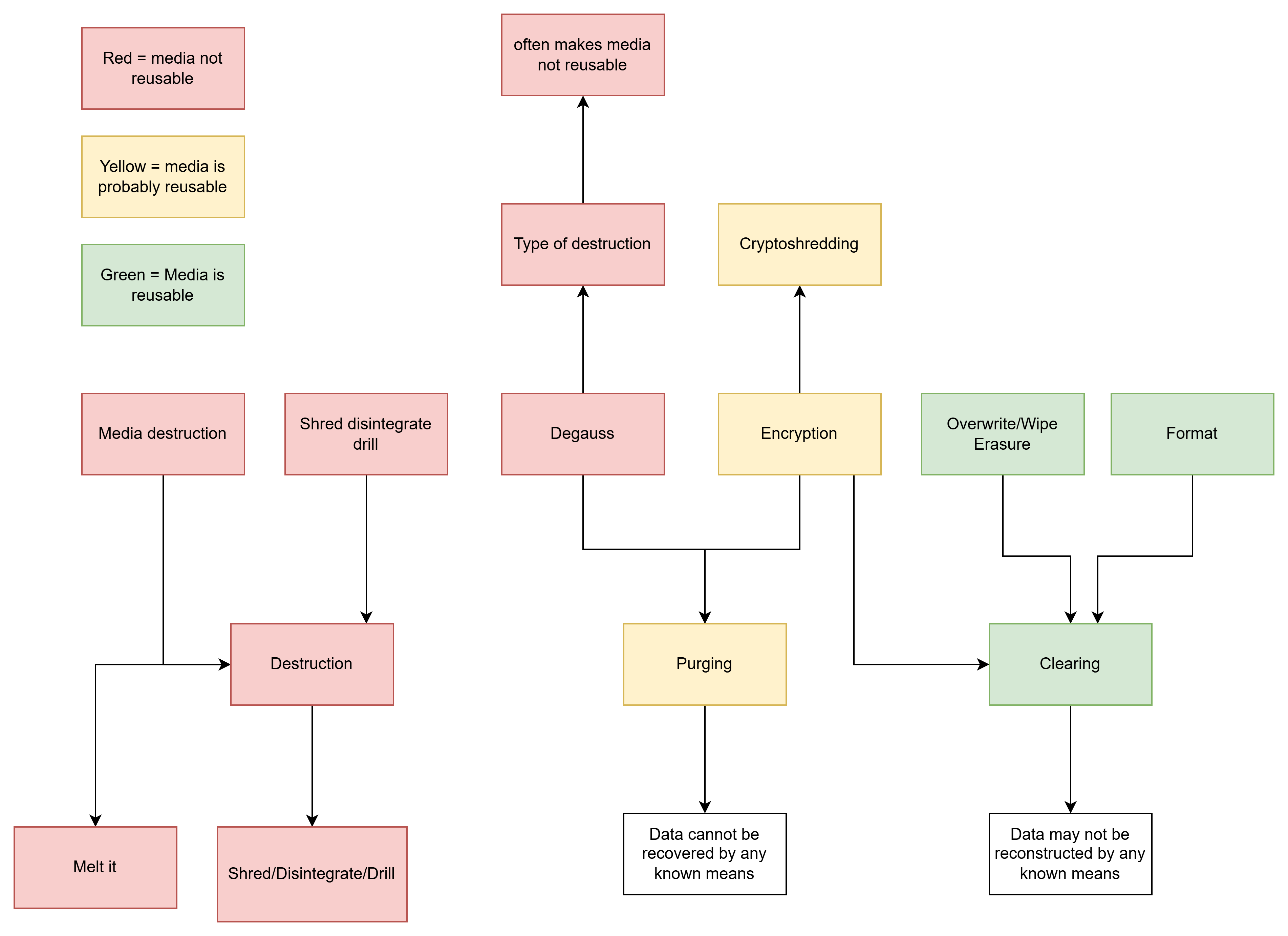
Each comes with different guarantees, different techniques, and different use cases. And unless you understand the difference, you’re one bad decision away from leaving sensitive data recoverable.
Let’s break them down.
1. Destruction
I think there is no surprise there if I say that this is the most secure and extreme option.
What it means:
The data and the storage media itself are permanently destroyed. There’s no “undo,” no recovery. The device becomes completely unusable.
Typical techniques:
Drilling or disintegrating the media
Melting the media
Physical destruction via specialized equipment
Use when:
The media is too sensitive to risk reuse
You must comply with strict standards (government, defense, healthcare)
You want 100% certainty that nothing survives
You do not need to reuse the media
2. Purging
Purging is a less extreme method of data disposal that ensures a relatively secure data disposal.
What it means:
Data is removed so thoroughly that it cannot be recovered using laboratory techniques, forensic tools, or advanced recovery methods.
The key difference?
The media may still be reused (in many cases).
Typical techniques:
Cryptographic erasure (crypto-shredding)
Degaussing magnetic drives - Degaussing is possible only for magnetic devices.
Pop quiz: Can you describe the process of cryptoshredding without googling? Let me know in the comments!
Guarantee:
The data cannot be recovered by any known means.
Use when:
You want to reuse or resell the device
You need strong protection but not physical destruction
You’re handling sensitive but not top-secret data
3. Clearing
This is the lightest form of data removal and completely inappropriate for any sensitive data.
What it means:
Data is removed so that it cannot be recovered using standard operating system or common software tools.
However, advanced forensics may still recover it.
Typical techniques:
Formatting a drive
Using standard overwrite tools
Guarantee:
Data may not be reconstructed by any known means.
Use when:
You’re preparing a device for internal reuse at the same sentivity level
The data is low sensitivity
You’re not concerned about advanced forensic recovery
Want the Complete Domain 1 Roadmap?
Data Security life-cycle is just one piece of the Security and Risk Management topics.
If you want a structured way to master Domain 1 of the CISSP exam, I’ve created something for you.
My CISSP Domain 1 Checklist provides clarity and focus on everything that truly matters for the exam and real-world practice.

➡️ Download it here and stop wasting time on scattered study materials.
How to Choose the Right Method
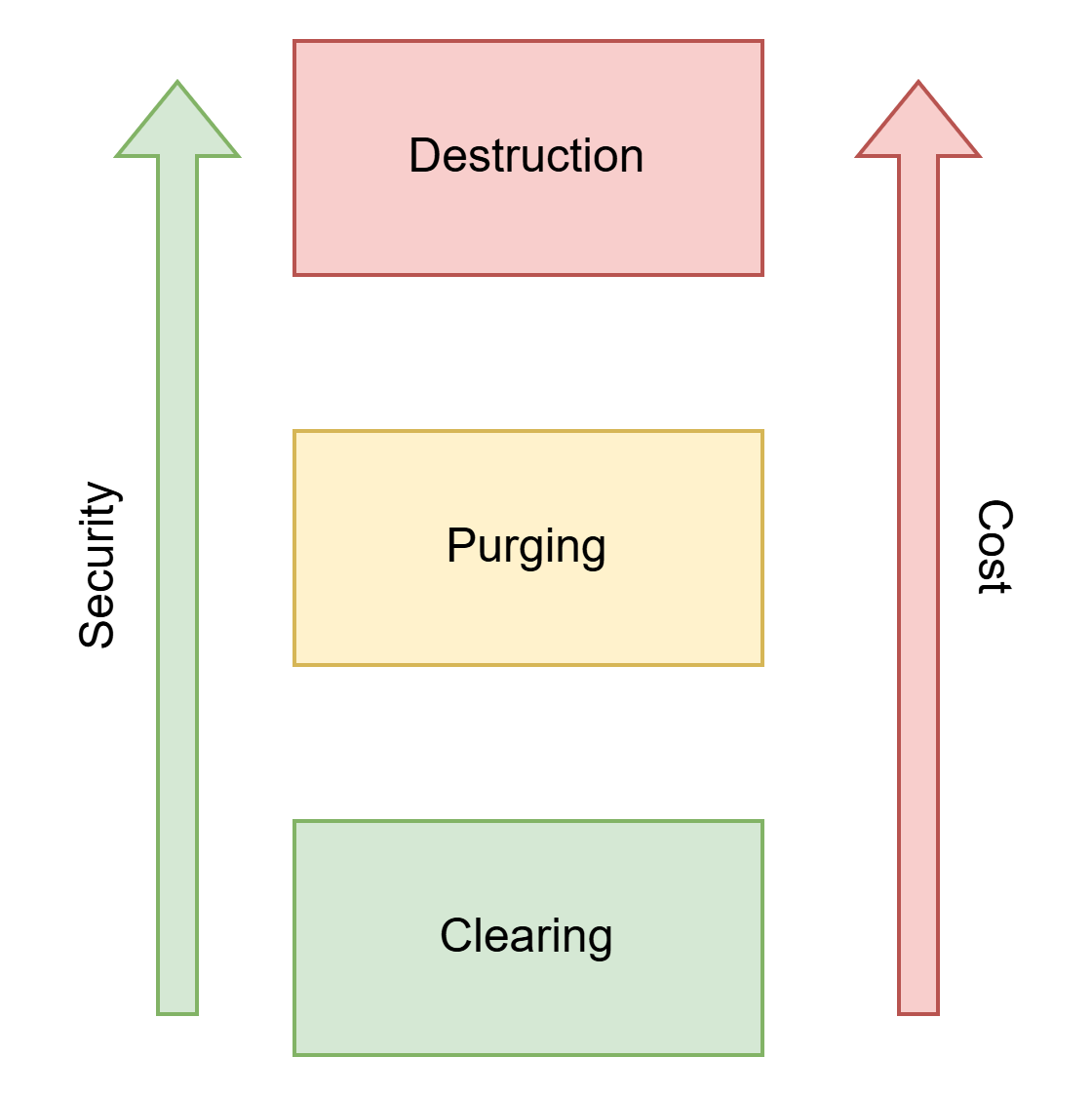
As always in cybersecurity, we need to find that balance between security and cost. If you have a device with no
The rule is simple:
The more sensitive the data, the stronger the destruction method you need.
Low sensitivity → Clearing might be enough
Medium to high sensitivity → Purging gives stronger guarantees. It is a suitable method when you need to reuse the drive.
Highly sensitive or regulated data → Destruction is mandatory
CISSP Exam Tips
Choosing the Right Method
Read for data sensitivity
Look for clues about media reuse
Match the method to the category (not the brand/tool)
Trick Phrases to Watch For
“Most appropriate” → choose minimal effective option
“Most secure” → choose destruction
“Encrypted by default” → crypto-shredding
“Magnetic storage” → degaussing works
“SSD or flash storage” → avoid degaussing/overwriting
Legal & Compliance Requirements
This section is only for people preparing for the CISSP exam.
Depending on the type of data, secure destruction isn’t optional, it’s the law. You want to remember the information below.
Legal requirements:
GDPR → personal data must be erased when no longer needed
HIPAA → PHI must be rendered “unreadable, indecipherable, and unrecoverable”
PCI DSS → sensitive payment data must be securely destroyed
ISO 27001 → requires documented disposal processes
NIST SP 800-88 → the global standard for destruction methods
If your destruction process isn’t documented, it doesn’t exist.
Did you find this article useful! Let me know in the comments! Any feedback is highly appreciated!
Conclusion
Data doesn’t just disappear when you stop needing them.
If you don’t destroy it properly, someone else might bring it back to life, and use it against you.
Whether you’re just throwing away your old laptot, or retiring old hard drives from the data center, make sure you you consider what happens if someone recovers the data.
Choose the method that matches the sensitivity of the information and the risk you’re willing to accept.
In cybersecurity, convenience is never an excuse for negligence, especially when outdated data can still cause damage.
And if you’re studying for the CISSP?
This topic will appear in your exam, and understanding these distinctions isn’t something you can avoid.
If you found this helpful, stick around and join our community of 400+ people.

What tools would you recommend an individual or small business used if they wanted to go down the "purging old data" route?
Thanks Erich. This is a really valuable post, especially for an academic that needs to constantly be thinking about data protection. Do you think people working in academia and the civil service are actually aware of this information? If not, I find this very worrying indeed. 😢